
A 2MB gzipped JavaScript bundle is ~7MB for V8 to parse and compile. On a mid-range Android at 3G, that is 12 seconds before a single interaction is possible. Bundle size is not an abstract metric — it is directly proportional to Time to Interactive on real hardware.
Why bundle bloat happens silently: Every convenient import adds to the module graph. moment.js locale files, full lodash imports, icon libraries with 1000 icons — none of these produce visible errors. They just make the app slower on devices you don’t test on.
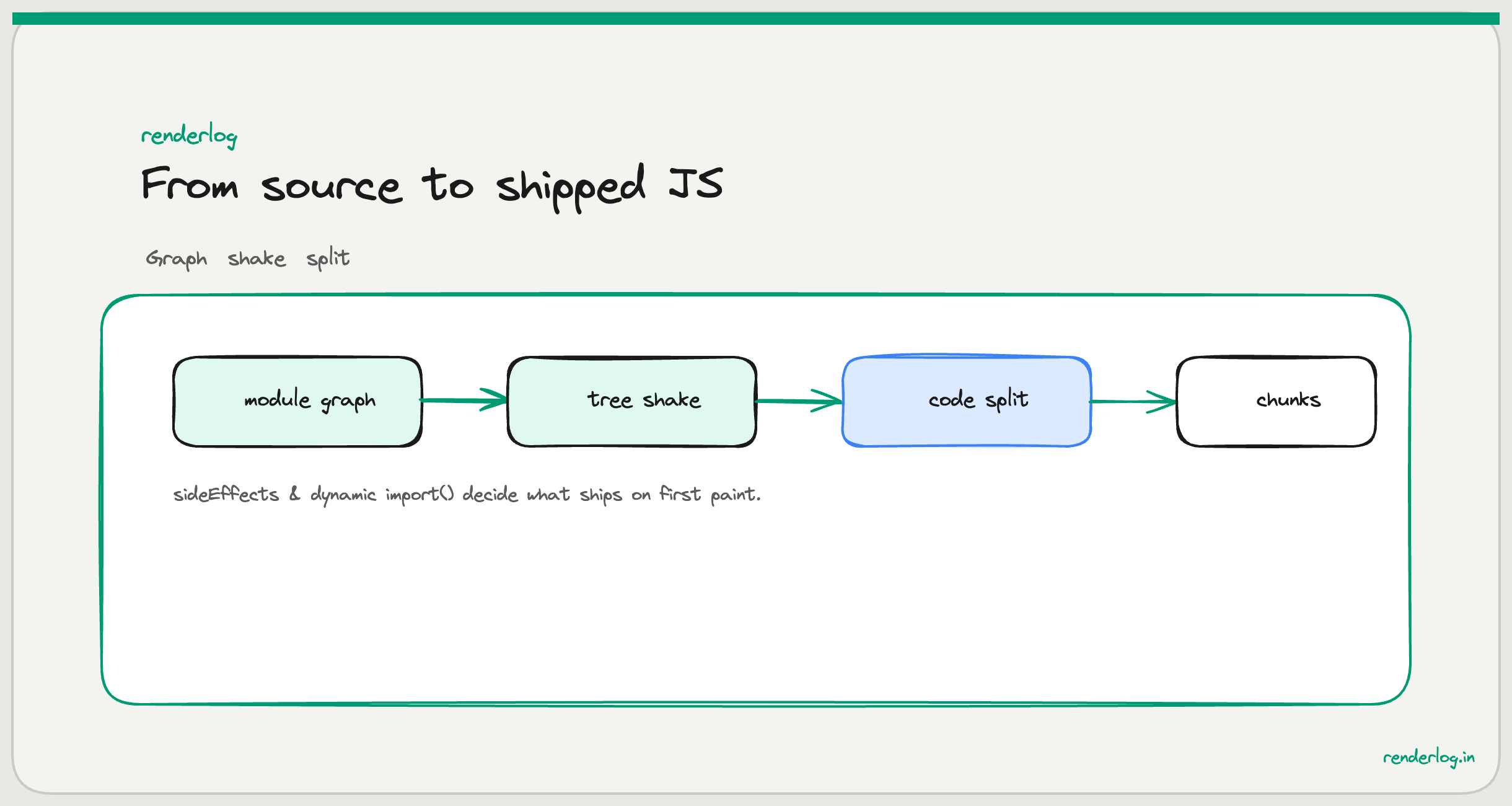
What this covers: How bundlers construct the module graph, where tree shaking fails silently, how sideEffects in package.json controls elimination, and how dynamic import() splits the bundle into chunks that load on demand.
What a bundle actually is
When you run npm run build, your bundler (Rollup inside Vite, Webpack, esbuild) does roughly this:
- Starting from your entry point (
main.tsx), it follows everyimportstatement - It builds a module graph a directed graph of every file that’s reachable from the entry
- It merges all those files into one or more output files, resolving module boundaries
- It applies tree shaking to remove code that’s imported but never called
- It minifies (removes whitespace and shortens names) and optionally compresses
The default result is one file containing your entire application: every component, every utility, every vendor library. That single file must be downloaded, parsed, and compiled before anything runs.
The reason everything ends up in one file by default is performance optimization for the common case: one large file is often faster than dozens of small ones, because each file requires a separate HTTP request (with its own connection overhead), and the browser’s HTTP cache is most effective when file names are stable. One bundle = one cache entry = minimal request overhead.
But “one big file” becomes a liability when:
- The bundle contains code for routes the user will never visit
- It contains multiple large vendor libraries that could be split into separate caches
- Any change to the app (even one line) invalidates the entire bundle cache
This is why code splitting matters.
Bundle analysis: seeing what’s actually in there
Before optimizing, you need to understand the bundle’s contents. Three tools I actually use:
rollup-plugin-visualizer (for Vite/Rollup projects) generates an interactive treemap:
// vite.config.ts
import { visualizer } from 'rollup-plugin-visualizer';

export default {
  plugins: [
    visualizer({
      filename: 'bundle-stats.html',
      gzipSize: true,
      brotliSize: true,
    })
  ]
};
After npm run build, open bundle-stats.html. You see a rectangle-packed treemap where each rectangle’s area is proportional to the module’s size in the bundle. Scan for large vendor rectangles that surprise you. A common discovery is that moment.js is taking 300KB because someone imported it for date formatting once.
webpack-bundle-analyzer does the same for Webpack:
npm install --save-dev webpack-bundle-analyzer
npx webpack --profile --json > stats.json
npx webpack-bundle-analyzer stats.json
source-map-explorer is useful when you have source maps but not a plugin-compatible build setup:
npx source-map-explorer dist/assets/index-abc123.js
What to look for when reading a bundle visualization:
- Unexpectedly large single modules often a library you didn’t know was that big
- Duplicate packages the same library appearing twice at different versions
- Code you thought was excluded development utilities or storybook code in production builds
- Polyfills for modern browsers if your target browsers support native features, polyfills are dead weight
Tree shaking: how it works and why it fails silently
Tree shaking is the process of eliminating code from the bundle that is imported but never actually called. The term comes from “shaking a tree and letting the dead leaves fall.”
Tree shaking relies on ES module static analysis. The key insight: import and export statements are static: the module graph is fully knowable at build time without executing any code.
// ES Module: statically analyzable
import { formatDate, parseDate } from './dates.js';
// Bundler knows: only formatDate and parseDate are used.
// Any other exports from dates.js can be eliminated.
Compare to CommonJS:
// CommonJS: NOT statically analyzable
const dates = require('./dates.js');
// Bundler cannot know which properties of 'dates' are used at build time.
// require() could be called conditionally, so the entire module must be included.
This is why mixing CommonJS and ES modules causes tree shaking to silently fail. The bundler falls back to including the entire module.
The sideEffects field
Even with ES modules, tree shaking requires one more thing: the sideEffects field in package.json.
A side effect is code that runs when a module is imported, regardless of whether you use its exports. CSS imports, polyfills, global registrations: these are side effects. If the bundler assumes a module has side effects, it can’t eliminate it even if none of its exports are used.
// package.json
{
  "name": "my-library",
  "sideEffects": false
}
"sideEffects": false tells bundlers: “every file in this package is pure. If nothing imports from it, it can be eliminated.” Without this, even unused modules from a dependency are included in the bundle.
For your own application code, you can be more precise:
{
  "sideEffects": ["*.css", "src/polyfills.js"]
}
This says: CSS files and the polyfills file have side effects (they must be included), but all other JavaScript files are pure. The bundler can tree-shake the JavaScript while preserving the CSS imports.
Common tree shaking failures
Barrel files
A barrel file is an index.js that re-exports everything from a directory:
// components/index.js (barrel file)
export { Button } from './Button';
export { Modal } from './Modal';
export { Table } from './Table';
export { DatePicker } from './DatePicker';
// ... 50 more exports
// Using it
import { Button } from '../components';
The problem: some bundlers (particularly older Webpack configurations and certain Rollup setups) cannot tree-shake barrel files reliably. When you import Button from the barrel, the bundler may include the entire barrel all 50+ components because it can’t prove the barrel itself doesn’t have side effects from the re-export pattern.
The fix is to import directly from the source file:
import { Button } from '../components/Button';
Or configure your bundler explicitly to handle barrels. Vite handles this well in modern versions, but it’s worth verifying with the bundle analyzer that barrel imports aren’t inflating your output.
lodash
Importing lodash like this includes the entire 70KB library:
import { debounce } from 'lodash'; // Includes ALL of lodash
The fix is either lodash-es (which uses ES modules and tree-shakes correctly) or direct cherry-picking:
import debounce from 'lodash/debounce'; // Only the debounce module
// or
import { debounce } from 'lodash-es'; // Tree-shakeable ES module version
moment.js locale problem
moment.js has a notorious bundling issue: it includes all locale files by default. If you’re using moment at all, you’re pulling in ~300KB of locale data for languages you’ll never use.
// This pulls in ALL locales: ~300KB gzipped
import moment from 'moment';
The options, ranked by recommendation:
- Replace with
date-fnstree-shakeable, only includes what you import - Replace with
dayjs2KB gzipped, locale files are separate optional imports - Use Webpack IgnorePlugin to exclude locale files from moment (if migration is not feasible)
Code splitting
Code splitting is the practice of splitting your bundle into multiple files that load on demand. Instead of one 2MB bundle, you might have:
- A 200KB core bundle that loads immediately
- A 400KB dashboard chunk that loads when the user navigates to
/dashboard - A 100KB admin chunk that loads only if the user is an admin
The result: users only download code for the features they actually use.
React.lazy() and Suspense
The canonical React code splitting pattern:
import { lazy, Suspense } from 'react';

// Instead of: import Dashboard from './Dashboard';
const Dashboard = lazy(() => import('./Dashboard'));
const AdminPanel = lazy(() => import('./AdminPanel'));

function App() {
  return (
    <Suspense fallback={<PageLoader />}>
      <Routes>
        <Route path="/dashboard" element={<Dashboard />} />
        <Route path="/admin" element={<AdminPanel />} />
      </Routes>
    </Suspense>
  );
}
React.lazy() takes a function that returns a dynamic import(). The bundler sees the dynamic import and automatically creates a separate chunk for Dashboard.tsx and all its unique dependencies. That chunk is not downloaded until the user navigates to /dashboard.
The Suspense boundary shows <PageLoader /> while the chunk is downloading. For route-level splits, this is typically the loading spinner or skeleton you’d show during data fetching anyway.
Dynamic import() and chunk naming
Under the hood, lazy() uses dynamic import(). You can use it directly for non-component code:
// Loads only when called, not at app startup
async function processSpreadsheet(file) {
  const { read, utils } = await import('xlsx'); // 400KB library, only loaded when needed
  const workbook = read(await file.arrayBuffer());
  return utils.sheet_to_json(workbook.Sheets[workbook.SheetNames[0]]);
}
Magic comments let you control chunk names:
const Dashboard = lazy(() => import(
  /* webpackChunkName: "dashboard" */
  /* vite: { chunkName: "dashboard" } */
  './Dashboard'
));
Without magic comments, bundlers generate hash-based names like chunk-abc123.js. Named chunks make your build output readable and help with debugging production issues.
Vendor splitting for cache utilization
Libraries like React, React DOM, and React Router change infrequently, maybe once every few months when you upgrade. Your application code changes with every deployment.
If they’re all in one bundle, every deployment invalidates the browser’s cache for React even though React itself hasn’t changed.
Vendor splitting keeps stable libraries in separate chunks with content-hash filenames:
// vite.config.ts
export default {
  build: {
    rollupOptions: {
      output: {
        manualChunks: {
          'vendor-react': ['react', 'react-dom', 'react-router-dom'],
          'vendor-query': ['@tanstack/react-query'],
          'vendor-ui': ['@radix-ui/react-dialog', '@radix-ui/react-dropdown-menu'],
        }
      }
    }
  }
};
Now vendor-react-[hash].js stays cached across deployments. Users who visited yesterday already have React cached. They only download your application code when you deploy.
| Bundle type | Changes on every deploy? | Cache lifetime |
|---|---|---|
| App code | Yes | Short (invalidated on every deploy) |
| Vendor (React etc.) | No (until you upgrade) | Long (months between upgrades) |
| Feature chunks | Only when that feature changes | Medium |
The entry point waterfall
One anti-pattern that’s easy to overlook: eagerly importing all routes in the entry point.
// main.tsx (WRONG): eager imports defeat code splitting
import { Dashboard } from './pages/Dashboard';
import { Settings } from './pages/Settings';
import { Admin } from './pages/Admin';
import { Reports } from './pages/Reports';
Even if you use React Router to only render one route at a time, Webpack/Vite will see these static imports and include all pages in the initial bundle. The dynamic import pattern only works when import() is actually dynamic:
// main.tsx (RIGHT): all routes are lazily loaded
const Dashboard = lazy(() => import('./pages/Dashboard'));
const Settings = lazy(() => import('./pages/Settings'));
const Admin = lazy(() => import('./pages/Admin'));
const Reports = lazy(() => import('./pages/Reports'));
Check your bundle visualizer. If all your route components appear in the main chunk, this is why.
Measuring bundle impact in CI
Ad-hoc bundle analysis after the fact is better than nothing, but the real win is preventing bundle bloat in CI before it reaches production.
size-limit is a package that fails your CI build if the bundle exceeds defined limits:
// package.json
{
  "size-limit": [
    {
      "path": "dist/assets/index-*.js",
      "limit": "300 KB",
      "gzip": true
    },
    {
      "path": "dist/assets/vendor-react-*.js",
      "limit": "150 KB",
      "gzip": true
    }
  ]
}
# .github/workflows/build.yml
- name: Check bundle size
  run: npx size-limit
With this in place, a PR that inadvertently adds a 500KB dependency (say, someone imports moment instead of date-fns) will fail CI with a clear error message:
  dist/assets/index-abc123.js
  Size: 487 KB with all dependencies, minified and gzipped

  Package size limit has exceeded the limit.
  Size limit: 300 KB
  Size: 487 KB
  Try to reduce size or increase the limit.
Performance budgets go beyond just JS size. Lighthouse CI lets you set budgets on LCP, TTI, and total transfer size:
// lighthouserc.js
module.exports = {
  assert: {
    assertions: {
      'first-contentful-paint': ['warn', { maxNumericValue: 2000 }],
      'interactive': ['error', { maxNumericValue: 5000 }],
      'total-byte-weight': ['error', { maxNumericValue: 1000000 }],
    }
  }
};
The bundle optimization checklist
| Step | Tool | Expected win |
|---|---|---|
| Analyze current bundle | rollup-plugin-visualizer | Identify large dependencies |
| Find duplicate packages | npm dedupe, bundlesize | Eliminate redundant copies |
| Fix lodash imports | lodash-es or cherry-pick | Save 50–70KB |
Add sideEffects: false | package.json | Enable tree shaking for your code |
| Route-level code splitting | React.lazy() | Defer non-critical routes |
| Vendor splitting | Rollup manualChunks | Improve cache utilization |
| Dynamic import for heavy libs | import() | Only load when needed |
| Set size limits in CI | size-limit | Prevent future regressions |
Bundles don’t bloat all at once. They bloat incrementally — one convenient import at a time. The defense is measurement, budgets, and a clear understanding of what each dependency actually costs to download, parse, and compile on real hardware.